What Is Cybersecurity?
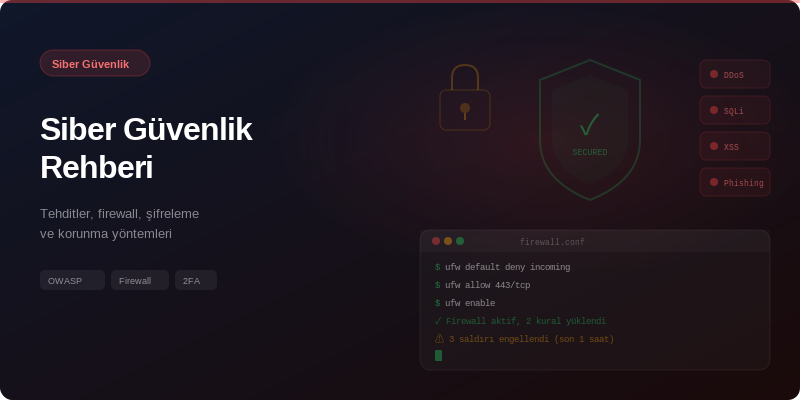
Cybersecurity is the practice of protecting computer systems, networks, programs and data from digital attacks. These attacks are usually carried out to access, change or destroy sensitive information, or to extort money from users.
Common Cyber Threats
| Threat | Description | Protection |
|---|---|---|
| Phishing | Stealing information via fake emails/sites | URL checking, using 2FA |
| Ransomware | Encrypting files and demanding a ransom | Regular backups, security software |
| SQL Injection | Injecting malicious SQL into the database | Prepared statements, input validation |
| XSS | Injecting malicious scripts into a web page | Output encoding, CSP header |
| DDoS | Taking a service down with excessive traffic | CDN, rate limiting, WAF |
| Man-in-the-Middle | Intercepting communication | HTTPS, VPN, certificate validation |
Security Layers
1. Network Security
# Firewall configuration with UFW (Linux)
sudo ufw enable
sudo ufw default deny incoming
sudo ufw default allow outgoing
sudo ufw allow 22/tcp    # SSH
sudo ufw allow 443/tcp   # HTTPS
sudo ufw status verbose
2. Application Security
// SQL Injection protection in PHP
// ❌ WRONG — Using the variable directly
$query = "SELECT * FROM users WHERE email = '$email'";

// ✅ RIGHT — Prepared statement
$stmt = $pdo->prepare("SELECT * FROM users WHERE email = ?");
$stmt->execute([$email]);
3. Data Security
// Password hashing
$hash = password_hash($password, PASSWORD_BCRYPT, ['cost' => 12]);

// Password verification
if (password_verify($input, $hash)) {
    echo "Doğru şifre!";
}
Security Best Practices
- Use strong passwords: At least 12 characters, with upper/lower case letters, digits and symbols
- Enable 2FA: Two-factor authentication everywhere
- Update your software: Security patches are critical
- Back up your data: The 3-2-1 rule (3 copies, 2 different media, 1 offsite)
- Use HTTPS: Encrypt all web traffic
- Principle of least privilege: Give users only the access they need
- Security audits: Perform regular penetration tests
OWASP Top 10
OWASP (Open Web Application Security Project) publishes the 10 most critical web application security risks every year. As a developer, knowing this list and protecting your applications against these threats is a must.
⚠️ Remember: Security is not a product, it is a continuous process. Even after a system is set up, it must be updated and audited regularly.