
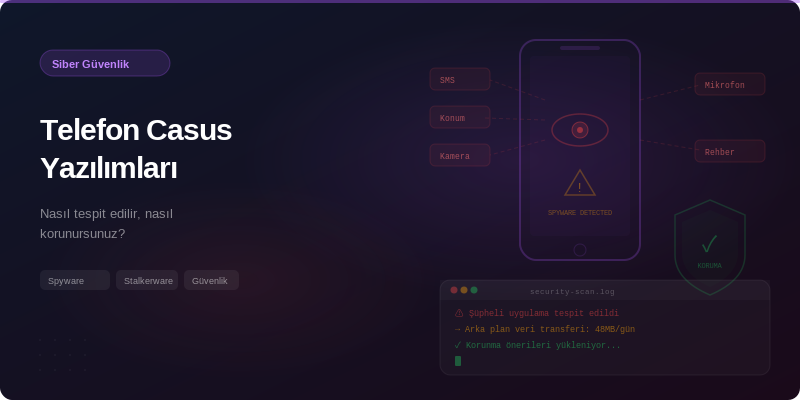
What Is Phone Spyware?
Phone spyware is malicious software installed on a mobile device without the user's knowledge or consent. Running silently in the background, it can monitor your SMS messages, call logs, location, photos, and even your camera and microphone. All the collected data is sent to a remote attacker.
Today, spyware is used not only in state-level cyber operations but in many areas such as personal tracking (stalkerware), corporate espionage and personal data theft.
Types of Spyware
1. Stalkerware (Tracking Software)
Usually installed by a partner, parent or employer, this software is marketed in stores as "parental control" or "employee monitoring". In most cases, however, it is misused as a covert surveillance tool. Apps such as mSpy, FlexiSpy and Cocospy fall into this category.
2. State-Level Spyware
Software such as Pegasus, developed by NSO Group, is a highly sophisticated espionage tool used by governments. Pegasus can be installed on a target's phone without a single link being clicked (a "zero-click exploit") and can take full control of the device.
3. Keylogger Software
Recording every key typed on the keyboard, this software is used to capture your passwords, messages and search queries. It is a method frequently used to steal banking information in particular.
4. Advertising Spyware (Adware)
It collects your personal data and uses it to show targeted ads. Although it may not seem as dangerous as the other types, it causes a privacy violation and sometimes paves the way for more harmful software to be installed.
Signs That Your Phone Has Spyware
The following signs may indicate that your device has been infected with spyware:
🔋 Battery and Performance Problems
- Abnormally fast battery drain: Because spyware runs constantly in the background, battery consumption rises noticeably
- Excessive phone heating: A device that heats up even when you are not using it is a suspicious sign
- Declining performance: Apps open more slowly than normal and the device becomes sluggish overall
📊 Data Usage Anomalies
- Unexplained data usage: Sudden spikes in mobile data or Wi-Fi consumption
- Background data transfer: When you check per-app data usage in settings, you may notice that apps you do not recognize are consuming a lot of data
🔔 Strange Behavior
- Screen turning on by itself: The screen lighting up without any notification
- Strange noises during calls: Clicking, humming or echo sounds
- Delayed or missing SMS: Messages arriving later than usual or not arriving at all
- Unrecognized apps: Apps on your device that you did not install
- Phone turning off and on by itself: Unexpected restarts
How to Detect Spyware
1. Check the App List
Review all the apps on your phone. Follow Settings → Apps → All Apps and examine the full list, including system apps. Watch out for apps you do not recognize, that have generic names, or that have a suspicious update date.
2. Review Permission Settings
Check which apps have camera, microphone, location and contacts permissions:
- Android: Settings → Privacy → Permission Manager
- iOS: Settings → Privacy & Security
Illogical permission requests, such as a calculator app having microphone permission, are a major red flag.
3. Run a Security Scan
Scan your device using a trusted mobile security app:
- Malwarebytes Mobile Security — Comprehensive malware scanning
- Kaspersky Mobile Antivirus — Stalkerware detection feature
- Bitdefender Mobile Security — Real-time protection
- Avast Mobile Security — Free basic scanning
4. Analyze Data Usage
Examine each app's data consumption under Settings → Network & Internet → Data Usage. Apps that use excessive data in the background may be suspicious. Pay particular attention to apps that are small in size but transfer large amounts of data.
5. Inspect Battery Usage
Check which apps consume the most battery under Settings → Battery → Battery Usage. High battery consumption by apps that should not normally run in the background may indicate the presence of spyware.
6. Root/Jailbreak Check
Many spyware programs require root (Android) or jailbreak (iOS) to be installed on a device. You can check whether your device is rooted with apps like Root Checker. On iOS, the presence of apps such as Cydia or Sileo is a sign of a jailbreak.
Ways to Protect Yourself from Spyware
🔒 Basic Security Measures
- Keep your operating system up to date: Apple and Google release security patches regularly. Keep automatic updates turned on
- Download apps only from official stores: Do not install APKs from sources other than the Google Play Store and Apple App Store
- Disable installation from unknown sources: On Android, turn off Settings → Security → Unknown Sources
- Use a strong screen lock: Use a PIN of at least 6 digits, a fingerprint or face recognition. A pattern lock is the weakest option
- Enable two-factor authentication (2FA): Use app-based 2FA instead of SMS on all your important accounts
🛡️ Advanced Protection
- Use a VPN: Encrypt your data traffic with a VPN, especially on public Wi-Fi networks
- Check app permissions regularly: Review your permission settings every month and remove unnecessary permissions
- Do not click suspicious links: Do not open unknown links that arrive via SMS, email or social media. A significant portion of spyware is spread this way
- Do not hand your device to others: Physical access is the easiest way to install spyware. Do not leave your device unattended, even for short periods
- Keep USB Debugging off: On Android, turn off USB Debugging in Developer Options
- Turn off Bluetooth when not needed: Malware can also be spread over Bluetooth
🧹 What to Do If You Detect Spyware
- Delete the suspicious app immediately: Take a screenshot before removing the app (as evidence)
- Change all your passwords: From another device, change the passwords of all your important accounts (email, bank, social media)
- Factory reset: The most effective method is to completely reset the phone. Back up your important data before resetting, but do not restore from a suspicious backup
- Check your account activity: End any sessions you do not recognize in your Google, Apple and social media accounts
- Get legal help if necessary: If you are a victim of stalkerware, this is a crime. You can file a complaint with the prosecutor's office and begin the digital evidence collection process
Key Statistics About Spyware
| Statistic | Value |
|---|---|
| Global spyware attacks (2024) | +63% increase |
| Devices with detected stalkerware | 30,000+ per year |
| Share of spyware among mobile malware | 15-20% |
| Average time to detection | 6-12 months |
| Most targeted platform | Android (85%) |
Conclusion
Phone spyware is one of the most serious threats to your digital privacy. However, with conscious use, regular security checks and up-to-date software, you can protect yourself effectively against these threats. Remember: digital security is not a product, but an ongoing process.
"Protecting your privacy is not a luxury, it is a fundamental right. Stay vigilant in the digital age." — Edward Snowden
If you notice anything suspicious on your phone, follow the steps in this guide without panicking. Early detection significantly reduces the extent of the damage.