What Are Hacking Attempts?
Hacking attempts are attacks carried out to gain unauthorized access to a computer system, network or device. These attacks may aim to steal personal information, access corporate data, demand a ransom or disable systems.
Common Hacking Techniques
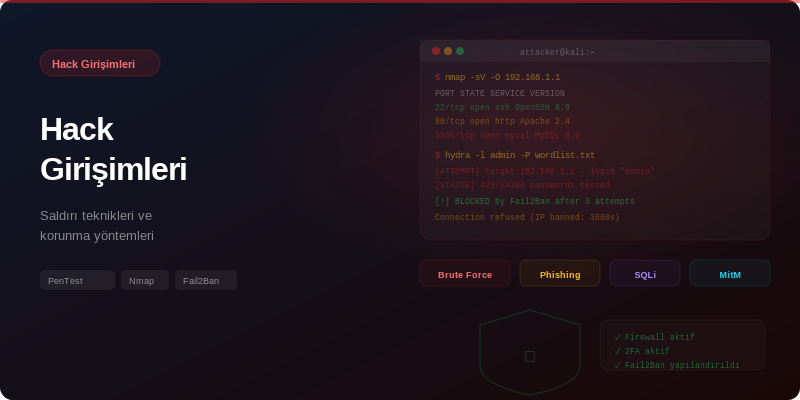
1. Brute Force Attack
This method tries to break into a system by trying every possible password combination. Simple passwords can be cracked within minutes.
| Password Length | Lowercase Only | Mixed Characters |
|---|---|---|
| 4 characters | Instantly | 3 seconds |
| 6 characters | 10 minutes | 3.5 hours |
| 8 characters | 8.5 hours | 39 days |
| 12 characters | 200 years | 34,000 years |
2. Phishing
A social engineering attack that aims to steal users' login credentials through fake websites or emails.
- Email Phishing: A fake email that appears to come from your bank
- Spear Phishing: A customized attack targeting a specific person
- Whaling: Phishing that targets senior executives
- Smishing: Phishing carried out via SMS
3. SQL Injection
A technique of injecting malicious SQL code into a web application's database queries:
-- Saldırganın giriş formuna yazdığı:
' OR 1=1; DROP TABLE users; --

-- Bu, veritabanı sorgusunu manipüle eder:
SELECT * FROM users WHERE email = '' OR 1=1; DROP TABLE users; --'
4. Man-in-the-Middle (MitM)
An attack in which the attacker secretly inserts themselves into the communication between two parties to steal or alter data. It is especially common on open Wi-Fi networks.
5. Ransomware
Malicious software that infiltrates a system, encrypts files and demands a ransom for the decryption. Large-scale attacks such as WannaCry and NotPetya have caused billions of dollars in damage.
Protection Methods
Technical Measures
# Fail2Ban kurulumu — brute force koruması
sudo apt install fail2ban
sudo systemctl enable fail2ban

# SSH brute force koruması konfigürasyonu
sudo cat > /etc/fail2ban/jail.local << EOF
[sshd]
enabled = true
port = ssh
filter = sshd
maxretry = 3
bantime = 3600
findtime = 600
EOF

sudo systemctl restart fail2ban
Security Checklist
- Strong passwords: At least 12 characters, with upper/lowercase letters, digits and symbols
- Two-factor authentication (2FA): SMS or an authenticator app
- Software updates: Keep your operating system and all applications up to date
- Firewall: Filter incoming/outgoing traffic
- Use a VPN: Especially on public networks
- Regular backups: Follow the 3-2-1 backup rule
- Security training: Raise staff awareness of social engineering attacks
⚠️ Warning: This information is for defensive purposes. Attempting to break into a system without authorization is a crime under Articles 243-245 of the Turkish Penal Code.