What Is Docker?
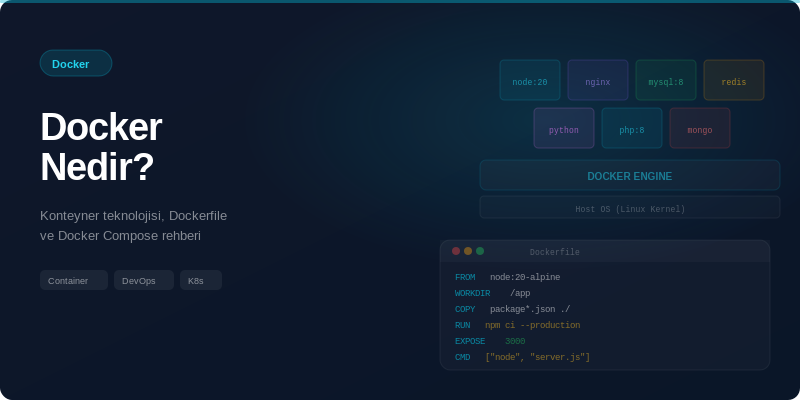
Docker is an open-source platform that lets you package and run applications in lightweight, portable and isolated environments called containers. Released in 2013, Docker has fundamentally changed software development and deployment processes.
Unlike virtual machines, containers share the operating system kernel, which makes them much lighter and faster.
Docker vs Virtual Machines
| Feature | Docker Container | Virtual Machine |
|---|---|---|
| Startup time | Seconds | Minutes |
| Size | MB range | GB range |
| Operating system | Shares the host kernel | Runs its own OS |
| Performance | Near-native | Has hypervisor overhead |
| Isolation | Process level | Full hardware level |
| Resource usage | Very low | High |
Core Docker Concepts
- Image: The executable template of an application (read-only)
- Container: A running instance created from an image
- Dockerfile: The instruction file used to build an image
- Docker Hub: The registry where images are shared
- Volume: Persistent data storage
- Network: Communication between containers
Dockerfile Example
# Node.js uygulaması için Dockerfile
FROM node:20-alpine

WORKDIR /app

# Bağımlılıkları önce kopyala (cache optimizasyonu)
COPY package*.json ./
RUN npm ci --only=production

# Uygulama kodunu kopyala
COPY . .

# Port tanımla
EXPOSE 3000

# Uygulamayı başlat
CMD ["node", "server.js"]
Docker Compose
It lets you manage multiple containers with a single command:
# docker-compose.yml
version: "3.8"
services:
  web:
    build: .
    ports:
      - "3000:3000"
    depends_on:
      - db
    environment:
      - DB_HOST=db

  db:
    image: mysql:8
    volumes:
      - mysql_data:/var/lib/mysql
    environment:
      - MYSQL_ROOT_PASSWORD=secret
      - MYSQL_DATABASE=myapp

volumes:
  mysql_data:
Essential Docker Commands
# Image oluştur
docker build -t myapp:1.0 .

# Konteyner çalıştır
docker run -d -p 3000:3000 --name web myapp:1.0

# Çalışan konteynerleri listele
docker ps

# Konteyner loglarını gör
docker logs -f web

# Konteynere bağlan
docker exec -it web sh

# Her şeyi durdur ve temizle
docker compose down -v
Why Does Docker Matter?
- The "it works on my machine" problem goes away: The same environment everywhere
- Fast deployment: Go to production in seconds
- Microservices architecture: Each service in its own container
- CI/CD integration: Automated test and deploy pipelines
- Resource efficiency: Dozens of containers on a single server
💡 Next step: After learning Docker, you can step into the world of container orchestration with Kubernetes.