Executive Summary
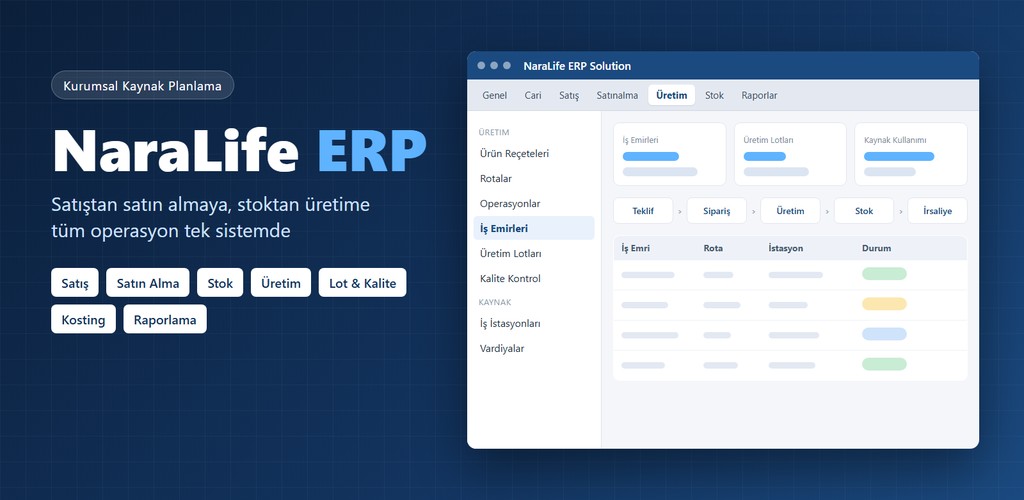
NaraLife ERP is a purpose-built enterprise resource planning system that runs the production and commercial operations of an apparel manufacturing and retail group. It has been in active use since 2016 and continues to evolve. From raw fabric orders to production lots, from machine planning to shipment, it drives the company's daily operation from a single source of data.
It is not a customised off-the-shelf package. The data model, business rules, screens and reports were designed from scratch around the company's own production model. The system sits at the centre of the NaraLife product family, which shares a common database, licensing and configuration infrastructure.
Scale
- In production since 2016A production system in continuous use and development for more than nine years.
- 180+ screensEntry, list, planning and report screens covering the process end to end.
- About 68,000 lines of business codeHand-written business logic and screen code, excluding UI designer files.
- 9 core business areasAccounts, sales, purchasing, inventory, production, lots, resources, planning and reporting.
Business Need
With fabric sourcing, subcontracting, multi-stage production and retail shipments running in parallel, it was not possible to see which stage an order was in, what was being produced on which machine, or the true cost of a product from separate spreadsheets. The goal was to make every step from quote to shipment traceable and reportable in one system.
Milestones
- 2016 — First release and platform migrationProduction and planning modules went live; in July 2016 the UI layer moved to a new generation of DevExpress components.
- 2017 — NaraLife ERP SolutionThe application was positioned as the enterprise edition of the product family under the name "NaraLife ERP Solution".
- February 2018 — Machine-based production planningMachine work order and production plan screens were reworked based on shop-floor needs.
- July 2018 — Costing linked to shipmentsThe product costing process was connected to order and shipment data.
- 2018–2019 — Platform upgradesThe UI and reporting stack was upgraded to DevExpress 17.x and 18.x.
- March 2019 — Production flow automationCompleting a production order now automatically closes all related work orders, removing the need to close them one by one.
- August 2023 — Release 23.08Current major release, published with date-based versioning.
- 2025 onwards — Continuous developmentThe system is under active maintenance and development; new requirements keep being added on the same data model.
Scope
- Sales managementQuotes, orders, dispatch notes and invoices; customer cards, shipping addresses and sales reports.
- Purchasing and sourcingRequest, quote, order, dispatch note and invoice flow; raw fabric order forms and supplier evaluation.
- Inventory and warehouseItem cards with colour and variant structure, units and price lists, shelf and barcode management, subcontracting issues and warehouse transfers.
- Production definitionsProduct recipes, operations and routings that standardise how each product is made.
- Production controlProduction and work order management, material issue to production and quality control records.
- Lot traceabilityCreating production lots and tracking them lot by lot.
- Resources and capacityWork stations, station groups and shifts; machine and personnel resource usage.
- Production planningVisual capacity planning with machine-based work order and production plan screens.
- CostingProduct cost calculation and costing order tracking.
- Reporting and accounting transferDesignable report templates, Excel export, e-mail distribution of reports and data transfer to accounting.
Architecture and Technical Approach
- Enterprise desktop clientWinForms on C# and .NET Framework; DevExpress for data-heavy grids, ribbon, scheduler and report designer.
- Central dataAll modules share a single Microsoft SQL Server database; local user settings are kept in embedded LiteDB.
- Layered structureScreens built on a shared base form and list pattern; data access, licensing and service calls live in the shared NaraLife library.
- Flexible calculationA formula engine (Jace) lets calculations be defined without code changes.
- Observable operationStructured application-wide error logging with Serilog and a version check at start-up.
- Configuration toolingConnection and licence configuration is handled by a separate admin tool, keeping installation and deployment standard.
My Role
I lead the development of the system together with my team: data model, production and planning business rules, screens, reports and platform upgrades. We turn shop-floor requirements into the product roadmap so the system keeps growing with the company.
Technologies
C# · .NET Framework · WinForms · DevExpress · Microsoft SQL Server · LiteDB · Serilog · SmartFormat · Jace